
Packing Electronics and TVs: Cables, Screens, and Original Boxes
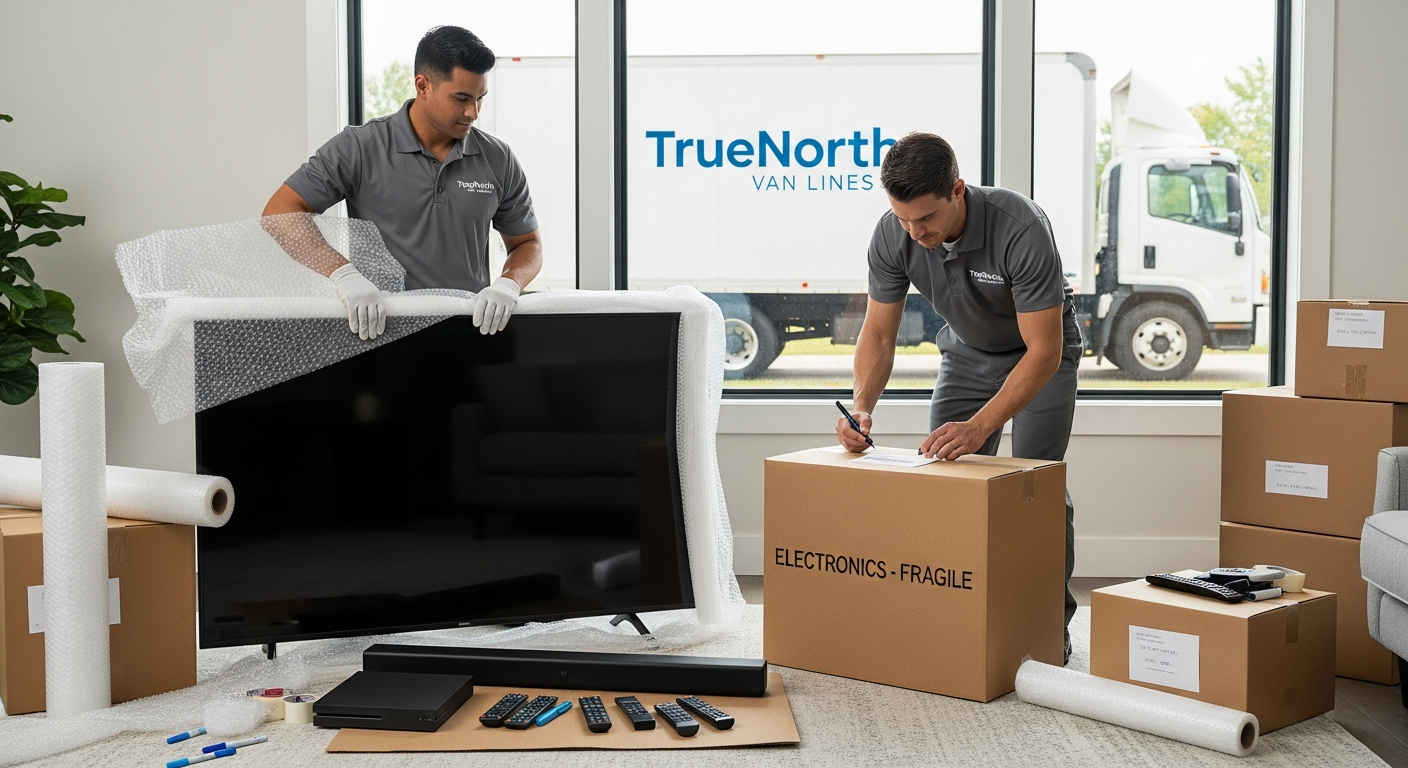
Electronics are often the most fragile and expensive items in a home or office, and they are the ones most people worry about on moving day. Flat-screen TVs, gaming systems, computers, sound systems, and smart devices all need extra attention to arrive safely. A well-planned approach to packing electronics for moving can mean the difference between everything powering up perfectly and dealing with costly damage or lost data.
Whether you are handling the packing yourself or partnering with a professional mover like TrueNorth Van Lines, the way your electronics are prepared, labeled, and loaded matters. Good planning, the right packing materials, and a clear labeling system help your moving crew protect your devices and set them up quickly in your new place.
This guide walks through how to pack electronics for moving in a practical, step-by-step way. You will see specific packing methods for TVs, computers, home theater systems, office electronics, and small devices, along with checklists, timelines, and mistakes to avoid. You will also see where professional packing services and long-distance moving services can help, especially for complex or high-value setups.
Use this as a working plan: print it, highlight it, or keep it open while you organize your move. The more thoughtfully you prepare your electronics, the smoother your first night in the new home or office will feel.
Key takeaways
- Unplug, back up data, and photograph all connections before you start packing electronics for moving.
- Use original boxes when available; otherwise, choose sturdy, double-walled cartons with plenty of padding.
- Protect flat-screen TVs with a dedicated TV box or a combination of foam corners, bubble wrap, and rigid cardboard.
- Label every cable, remote, and component so you can reconnect everything quickly at the new place.
- For long-distance or interstate moves, ask about valuation options and professional packing services for high-value devices.
- Keep critical items (laptops, hard drives, modems, and chargers) with you instead of on the moving truck.
- Plan your electronics packing timeline so devices are the last to be packed and among the first to be set up.
Why electronics need special packing
Electronics are sensitive to impact, vibration, temperature, and moisture. Flat-screen TVs and monitors use thin glass and delicate internal components. Computers and hard drives can be affected by shock. Speakers and audio equipment have exposed drivers and knobs that can bend or break. Gaming consoles and streaming devices can overheat or crack if packed poorly.
Beyond the physical hardware, electronics carry something more valuable: your data. Photos, documents, work projects, tax records, game saves, and personal information are all stored on devices you may be moving. Damaged or lost equipment can often be replaced; lost data may not be so easy to recover.
That is why a planned, step-by-step approach matters. Treat electronics as a category of their own in your move, just like fragile glassware or fine furniture. When you separate them, track them, and pack them correctly, you give your moving crew clear instructions and reduce risk.
Risks during a move
- Drops or falls when carrying lightweight-looking but fragile devices.
- Pressure damage from stacking heavy boxes on top of electronics.
- Moisture or condensation when moving from humid to air-conditioned spaces.
- Static electricity, especially for unprotected circuit boards or components.
- Lost or mixed-up cables, power supplies, and remote controls.
- Overheating in sealed boxes with no ventilation during long-distance trips.
With TrueNorth Van Lines, electronics are handled as a defined category in the inventory. Crews can pad, wrap, and load these items separately and, when requested, provide full packing support to improve protection further.
Planning your electronics move
Before you start wrapping and boxing devices, take a step back and create a simple electronics moving plan. This makes your work more efficient and easier to coordinate with your movers.
Create a dedicated electronics inventory
Walk room by room and list every major device you will move. Include model names and whether you still have the original box or manuals. This list becomes part of your overall household inventory and helps when you speak with movers about packing support and coverage.
| Room | Electronics | Notes |
|---|---|---|
| Living room | 55″ TV, soundbar, game console | Need TV box, label HDMI cables |
| Home office | Desktop, two monitors, printer | Back up hard drive, keep laptop with me |
| Bedroom | Smart TV, streaming device | Small TV box, keep remotes together |
Photograph connections before unplugging
Before you disconnect anything, take clear photos of the back of your TV, receiver, computer, or router. Capture how each cable is connected.
- Stand back to capture the whole device.
- Take close-ups of ports and color-coded plugs.
- Photograph labels or stickers you add to each cable.
These reference photos make reassembly much faster, especially after long, tiring moving days.
Back up and sign out
- Back up important files from computers and external drives to a cloud service or a separate backup drive.
- Sign out of streaming accounts and apps on shared or older devices if you will not use them again.
- Deactivate or reset smart home devices if required by the manufacturer before moving.
Example: Back up your laptop and primary desktop at least 3 days before moving day, so you are not stuck running backups when you should be packing.
Essential packing supplies for electronics
The right materials allow you to cushion, secure, and label your electronics correctly. While every move is unique, certain supplies work well across most homes and offices.
Core materials checklist
- Double-walled cardboard boxes (small to medium sizes work best for electronics).
- Specialty TV boxes sized to your screen where possible.
- Anti-static bubble wrap or foam sheets.
- Soft packing paper (avoid newsprint directly on screens).
- Stretch wrap for securing loose components.
- Cable ties or Velcro straps.
- Zip-top bags for screws, small parts, and adapters.
- Permanent markers and color-coded labels.
- Painter’s tape or low-tack tape for temporary labeling on devices.
Original boxes vs. standard cartons
If you still have original boxes for TVs, monitors, or electronics, they are usually the best choice because they include custom foam supports. If not, sturdy, well-padded cartons are perfectly acceptable when packed carefully.
| Option | Pros | Considerations |
|---|---|---|
| Original box | Custom fit, molded supports, manufacturer-tested for shipping | May be worn or missing parts; verify structural strength |
| New TV or electronics box | Designed for moves, often adjustable, fits multiple brands | Additional cost; may require extra padding in some areas |
| Standard carton | Flexible for grouped items, easy to source | Needs more internal padding and careful packing |
TrueNorth Van Lines can supply specialty boxes and professional packing materials as part of our professional packing services, or we can use the materials you have already purchased.
How to pack a TV for moving
Packing a TV for moving is one of the most common questions customers ask. Flat-screen TVs are lightweight but fragile, and improper handling can crack screens, damage internal components, or stress the frame.
Step 1: Prepare the TV
- Turn the TV off and unplug it fully.
- Disconnect all devices (soundbar, streaming box, game console) one at a time.
- Take photos of the ports and cable connections.
- Remove batteries from the remote control to prevent leakage.
Step 2: Remove the base or wall mount
- If your TV is on a stand, remove the base according to the manual or manufacturer instructions.
- If wall-mounted, carefully remove the TV from the bracket with two people.
- Place screws, bolts, and small hardware into a labeled zip-top bag, such as «Living room TV stand screws».
- Tape the bag to the TV base or place it in a master hardware box.
Step 3: Protect the screen
- Lay a clean, soft, non-abrasive cloth over the screen surface.
- Wrap the entire TV in anti-static bubble wrap or foam sheets, focusing on corners.
- Use stretch wrap or painter’s tape to secure padding without touching the screen directly.
Step 4: Box and label
- Place the padded TV upright in a TV box or a box slightly larger than the TV dimensions.
- Use foam corner protectors or folded cardboard to secure the TV in place.
- Fill remaining gaps with soft packing paper or additional foam, not heavy items.
- Seal the box and label it on multiple sides: «Living room TV — Fragile — This side up».
Always transport TVs upright, never flat. Share with your movers which boxes contain TVs so they can load them appropriately and avoid stacking heavy items on top.
Packing computers, laptops, and monitors
Computers and monitors contain both delicate hardware and important data. Treat them as high-priority items in your moving plan.
Step 1: Back up and power down
- Perform a full backup of your computer to an external drive or cloud storage.
- Shut down fully (do not just put to sleep) and unplug the power cable.
- Disconnect all peripherals (keyboard, mouse, speakers, external drives).
Sample reminder note: «Backup finished, computer shut down, backup drive packed in carry-on bag.»
Step 2: Label cables and ports
- Use painter’s tape or small tags to label each cable near the plug (for example, «Monitor HDMI», «Printer USB»).
- Place related cables in a zip-top bag labeled with the device name.
- Keep one set of essential cables (phone charger, laptop charger) in a personal bag.
Step 3: Pack the tower or desktop
- Wrap the computer tower in anti-static bubble wrap or foam sheets.
- Place upright in a small or medium, double-walled box.
- Add padding around all sides, top, and bottom.
- Label as fragile and note orientation (for example, «Desktop tower — Keep upright»).
Step 4: Pack monitors
- Treat monitors similarly to small TVs.
- Protect the screen with a soft cloth, then bubble wrap or foam.
- Place upright in a monitor box or a snug, padded carton.
- Do not place heavy items in the same box.
Laptops are often best kept with you rather than on the truck, especially for long-distance moves. Use a padded case or sleeve and store chargers and accessories in an easy-to-reach pocket.
Home theater, speakers, and audio systems
Sound systems often have multiple components: receivers, amplifiers, subwoofers, speakers, and specialized cables. Packing them carefully and consistently makes reassembly much easier.
Organize by zone
Organize your system into zones or groups:
- Front speakers and receiver
- Rear speakers and surround components
- Subwoofer and power accessories
Pack each group into its own box when possible, and label clearly.
Protect speakers
- Remove detachable grills and pack separately if possible.
- Wrap speakers in foam sheets or bubble wrap, paying attention to drivers and corners.
- Pack upright with padding between speakers.
- Do not stack heavy objects on top of speaker boxes.
Receivers, amplifiers, and consoles
- Wrap each component individually in anti-static bubble wrap.
- Place heavier items at the bottom of the box and lighter items on top.
- Use cardboard dividers if multiple components share a box.
- Label each box by system and room: «Living room: Receiver and components».
Small electronics and accessories
Tablets, e-readers, phones, streaming devices, routers, cameras, and gaming accessories may seem minor, but replacing lost chargers, remotes, or adapters can be time-consuming and expensive.
Create a «tech essentials» box
- Modem and router (if moving your own equipment).
- Primary laptop charger and phone chargers.
- Power strips and surge protectors.
- Streaming devices and remotes for the main TV.
- Basic tools (small screwdriver set, scissors, tape).
Keep this box accessible and consider transporting it in your own vehicle, especially during a long-distance move.
Group by device type
| Device type | What to pack together | Label example |
|---|---|---|
| Gaming console | Console, power cord, HDMI, controllers | «Living room console & accessories» |
| Camera gear | Camera body, lenses, charger, memory cards | «Camera kit — fragile» |
| Networking | Router, modem, ethernet cables | «Internet setup — open first» |
Consider writing «Open first» on any box that contains devices needed on your first night, such as the router, streaming device, and phone chargers.
Electronics packing timeline
It is best to keep electronics available as long as reasonably possible, but not so long that you are rushing at the last minute. A planned timeline helps balance convenience and safety.
| When | Tasks | Notes |
|---|---|---|
| 2–3 weeks before move | Create electronics inventory, gather manuals and boxes, buy packing supplies. | Discuss needs with movers; consider professional packing services. |
| 7–10 days before move | Back up computers, sign out of old devices, pack rarely used electronics. | Set aside original boxes and label shelves or cabinets. |
| 2–3 days before move | Pack TVs, sound systems, most office electronics, and spare devices. | Leave one laptop and phone chargers available. |
| Moving day | Pack remaining items, tech essentials box, and networking equipment. | Keep critical devices and backup drives with you. |
If your move is large or spans multiple days, TrueNorth Van Lines can align crew schedules and long-distance moving services with your planned electronics packing timeline, so sensitive items are loaded and delivered according to your priorities.
Cost factors for packing electronics
When you request moving quotes, electronics may be listed as part of your general inventory or as a separate packing line item. Understanding cost drivers helps you decide what to pack yourself and where professional help is worth it.
Main cost factors
| Factor | How it affects cost | What you can do |
|---|---|---|
| Number and size of devices | More or larger items require more time, materials, and truck space. | Declutter old electronics; recycle or donate unused items in advance. |
| Packing level | Full-service packing is more than labor-only or self-packed moves. | Combine self-packing with targeted pro packing for the most fragile items. |
| Distance of move | Longer distances increase transit time and handling steps. | Use strong materials and consider extra protection on long routes. |
| Access and building rules | Elevators, long carries, or complex building rules may add labor time. | Share access details with your mover early so they can plan crew size. |
You can use the TrueNorth Van Lines moving cost calculator to get a rough idea of how your electronics and other household items may influence your overall moving budget.
Common mistakes and how to avoid them
Even with good intentions, it is easy to rush electronics packing in the final hours before a move. Knowing common mistakes can help you avoid unnecessary damage or stress.
| Mistake | Risk | Smart alternative |
|---|---|---|
| Packing TVs flat under heavy boxes | Screen cracks or warped panels | Transport upright in a TV box with no heavy items on top. |
| Not labeling cables and remotes | Frustration and delays setting up, missing parts. | Use labeled bags and color-coded tape before unplugging. |
| Skipping backups for computers | Potential data loss if there is damage. | Back up at least 2–3 days before your move. |
| Using low-quality or oversized boxes | Shifting contents, poor protection. | Use sturdy, right-sized cartons and adequate padding. |
- Do not leave devices plugged in until the movers arrive; always power down properly.
- Avoid packing electronics with liquids, cleaning supplies, or sharp objects.
- Do not tape directly to screens or high-gloss finishes; use painter’s tape on edges only.
- Do not stack heavy books or tools in the same box as fragile electronics.
If you prefer not to take chances with complex setups, TrueNorth Van Lines can include electronics in a planned packing service, using appropriate materials and methods for each item.
Local vs. long-distance moves with electronics
Electronics face different stresses on a same-city move compared with a cross-country relocation. The distance and duration of your trip may change how you pack and what services you select.
Local moves
- Shorter transit times and fewer handoffs.
- Easier to carry certain items (like laptops or gaming consoles) in your own vehicle.
- Often possible to schedule packing one day and delivery the next, reducing the time items spend in boxes.
For local moves, you might self-pack smaller electronics and ask TrueNorth Van Lines to handle only the most fragile items, such as a large TV or glass-front audio cabinet, as part of our local moving services.
Long-distance and interstate moves
- Longer travel times and more frequent handling during loading and unloading.
- Exposure to varying temperatures and humidity.
- More important to document inventory and packing conditions for high-value items.
For long-distance moves, many customers choose a mix of professional packing and carefully planned self-packing. TrueNorth Van Lines can provide long-distance moving services that include packing and valuation options tailored to your electronics, helping you balance cost and protection.
Key questions to ask your moving company
Before booking a move, it is helpful to discuss your electronics with your mover so expectations are clear on both sides.
- Do you offer professional packing services specifically for TVs, computers, and electronics?
Ask how these services are priced and what materials are used. - How should I list my electronics on the inventory?
Confirm whether individual TVs, monitors, and major components are listed separately. - What valuation options are available for high-value devices?
Discuss how electronics are covered within your chosen protection plan. - Are there any items you recommend I move myself?
Many customers prefer to keep laptops, small devices, or backup drives with them. - How will you load electronics on the truck?
Ask about keeping TVs upright, not stacking heavy boxes on fragile items, and securing the load.
Example wording when you talk to movers: «We have three TVs and a full home office setup. Can you walk me through how your crew would pack and load those items, and what options I have for extra protection?»
What to keep with you on moving day
Not every device is a good candidate for the moving truck. Some electronics and accessories are best kept in your own car or carry-on bag, especially for long-distance or multi-day moves.
- Laptops and tablets used for work, school, or travel plans.
- Primary phone chargers and one spare charging cable.
- Backup hard drives or USB drives containing important data.
- Modem and router if you plan to set up internet right away.
- Essential remotes, especially for your main TV and streaming setup.
- Noise-canceling headphones, baby monitors, or security devices you rely on.
- Any items needed for remote work or virtual meetings shortly after arrival.
Pack these into a clearly labeled tech bag or backpack and let your crew know that these items are not going on the truck.
How TrueNorth Van Lines can help
TrueNorth Van Lines provides organized, careful moving services designed to support both residential and commercial customers. Electronics are a routine part of our local and long-distance moves, and our crews are trained to handle items like TVs, computers, home theater systems, and office equipment with appropriate care.
Depending on your preferences, we can:
- Provide full or partial packing services, focusing on fragile or high-value electronics.
- Bring specialty cartons, TV boxes, and proper padding on moving day.
- Coordinate packing, loading, and delivery to match your planned electronics timeline.
- Adapt to apartment, house, or office environments, following building rules and elevator schedules.
Helpful TrueNorth Van Lines services
If your move involves a complex home theater, multiple workstations, or sensitive office electronics, we can design a planned packing approach so you decide which items we handle and which you prefer to pack yourself. Our goal is to make sure your electronics arrive ready to plug in and use, without pressure or unrealistic promises.
Planning your next steps
You can explore our full range of moving services, review our service areas, use the moving cost calculator, or request a free moving quote to discuss your specific electronics and move details with a coordinator.
Frequently asked questions
How far in advance should I pack my electronics?
Aim to start packing non-essential electronics about 7–10 days before your move and save daily-use items, like your primary TV or computer, for 2–3 days before moving day. This keeps your home functional while still allowing enough time to pack carefully and avoid rushing.
Is it safe to move my TV without the original box?
Yes, as long as you use a sturdy TV box or a well-padded carton and keep the TV upright with adequate corner and screen protection. Do not lay the TV flat or stack heavy items on it. Many customers choose to have movers pack large TVs using specialty materials.
Should I move my computer and laptop on the moving truck?
You can move desktop computers on the truck if they are packed well, but it is usually better to keep laptops and backup drives with you. If you decide to place a desktop on the truck, make sure it is padded on all sides and clearly labeled as fragile.
How do I pack a gaming console safely?
Unplug the console, controllers, and cables, then wrap the console in bubble wrap and place it in a small, sturdy box. Pack controllers and cables in a zip-top bag labeled with the console name. Avoid overfilling the box, and keep it with similarly fragile items, not books or tools.
Do movers disconnect and reconnect electronics?
Many movers will unplug and pack basic electronics if requested, but complex disconnection or setup is often left to the customer. TrueNorth Van Lines can help with packing and labeling; for advanced setups, you may want to take photos and handle reconnection yourself or with a technician.
What packing services does TrueNorth Van Lines offer for electronics?
TrueNorth Van Lines can provide targeted packing for TVs, monitors, computers, and other electronics using appropriate materials and labeled boxes. We can combine this with broader household or office packing so your electronics are integrated into a full-service moving plan.
How can I protect my electronics during a long-distance move?
Use strong, double-walled boxes, avoid overpacking, and clearly label all electronics as fragile. Keep critical devices and data with you, and ask your mover about coverage and packing support for high-value items. Good labeling also helps ensure your crew loads and unloads items carefully.
What should I do with old or unused electronics before moving?
Consider recycling, donating, or selling old devices you do not plan to use. This reduces packing time, saves space on the truck, and may lower your overall move cost. Be sure to wipe or reset devices to remove personal data before you pass them on.
Can I put heavy items in the same box as electronics?
It is better not to. Heavy items can shift during transit and damage fragile components. Pack electronics with light padding materials and other lightweight accessories, not books, tools, or decor.
How do I label electronics boxes so unpacking is easier?
Include the room, the main device name, and any priority notes on each box. For example: «Home office — Desktop and monitor — Open first». Label at least two sides and the top of each box so it is always visible when stacked.
Sources referenced in this guide
Guidance in this article reflects common best practices from multiple sources, including:
- Federal Motor Carrier Safety Administration consumer guidance on planning moves and protecting household goods.
- U.S. Department of Transportation moving guidance for long-distance and interstate relocations.
- State transportation and consumer protection agencies that publish general moving and packing advice.
- Typical building management move-in and move-out rules for apartments and offices, including elevator and scheduling requirements.
- Written moving estimates, service agreements, and valuation options commonly used in the moving industry.
This guide is general moving information, not legal, insurance, or regulatory advice. Moving requirements, pricing, access rules, and coverage options may vary by location, move type, building rules, and service agreement.